Key Enhancements
Refined Delete & Inactive Actions
The “Delete” action has been changed to “Inactive,” and “Permanently Delete” has been renamed to “Delete.” This update ensures a clearer distinction between temporary deactivation and permanent removal. This feature applies to Asset Management, Document Management, Record Management, Supplier Management, Problem Management, and Training Management modules.
Record Management - Records Access
“Record Managers” and “Record Owners” can access public and confidential records, except for restricted ones, which are limited to owners and authorized users. General users, auditors, and unassigned users are excluded from this feature. All users have view access but can only modify their own files and folders. Alerts are triggered when moving public files or folders to confidential or restricted, and confidential files or folders to restricted.
Streamlined LOR Management & Compliance Integration
The LOR Edit UI is enhanced, and the compliance step is now part of the assessment. The LOR Register list view includes “Last Review Date” and “Next Review Date” columns. In Bulk Edit, “Next Review Date” auto-sets based on “Last Review Date,” improving usability and efficiency.
Enhanced Deletion for Non-System Users
The delete functionality for non-system users has been improved for better management and efficiency in Admin.
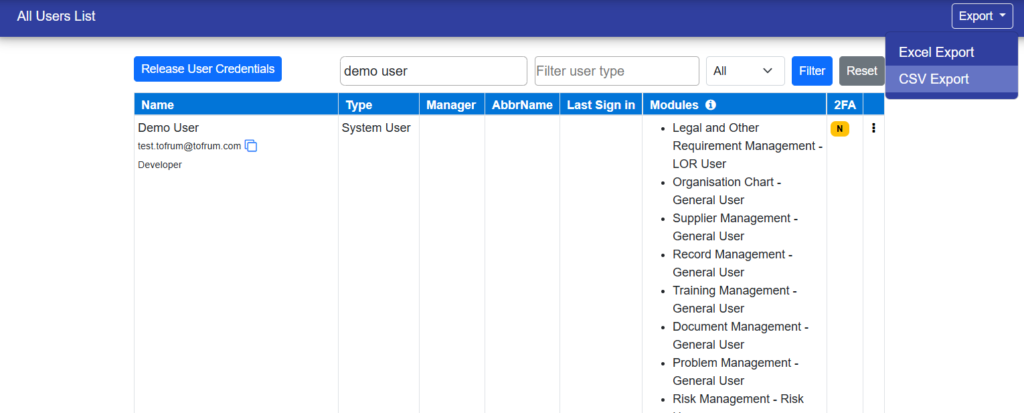
Enhanced Email Copy Feature
User emails are now displayed below usernames, with a copy icon. Clicking the icon copies the email instantly for easy access in Admin.
Risk Step Renamed to Residual Risk Analysis
The “Risk” step has been renamed to “Residual Risk Analysis” for better clarity and alignment with risk assessment processes.