Suhasee Talreja

Release Notes 24.07

Key Enhancements

User Reallocation

Easily reassign tasks due to employee turnover, role changes, or to balance workloads. Applicable modules are Asset Management, Document Management, Problem Management, Record Management, Supplier Management, and Training Management. Applicable role is Manager.

Configurable Dropdown

Easily customize dropdown options to align with your organization’s specific needs. Applicable modules are Asset Management, Document Management, Problem Management, Record Management, and Training Management. Applicable role is Manager.

Rapid Filtering

Quickly filter records in any Register’s list view by specifying a keyword for any displayed field. This feature enhances usability and efficiency by allowing you to focus on the most relevant information instantly. Applicable module is Asset Management. Applicable for all roles.

Convert a Non-System user to a System user

To ensure better integration and management within the system, it may be necessary to convert non-system users into system users. This process aligns their access and privileges with the system’s standardized protocols. Applicable for Administrator.

Other Enhancements

MSAT now provides predefined templates for importing data from spreadsheets, ensuring accuracy and efficiency. Applicable modules are Asset Management, Document Management, Problem Management, Record Management, Supplier Management, and Training Management. Applicable role is Manager.

Badges for Upcoming & Overdue Assets/Suppliers

Badges highlight upcoming and overdue records in list views, making it easy to identify them. Applicable modules are Asset Management, Supplier Management. Applicable for all roles.

Optional visibility controls in standard
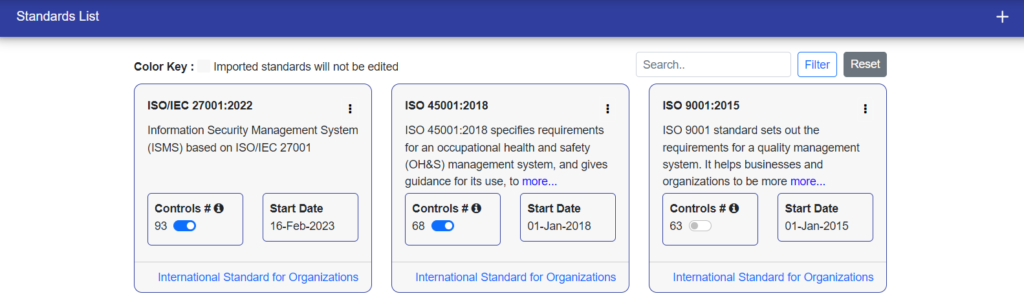
A new toggle feature has been added to the list of standard user interfaces (UIs) to help manage the visibility of controls and sub-controls in your system. You can enable or disable the display of these elements based on your preference to enhance usability and efficiency. Applicable module is Risk Management. Applicable role is Manager. 

Ensure the legislation title and filename are identical

To maintain clarity and  of reference, it is crucial that the ease title of the legislation and its corresponding filename are identical. This ensures that anyone accessing the document can easily identify its contents without confusion. Applicable module is Legal & other requirement management. Applicable roles are Manager and Users.

Bug fixes

This release includes bug fixes and performance improvements to enhance your experience.

Release Notes 24.06

Key Enhancements

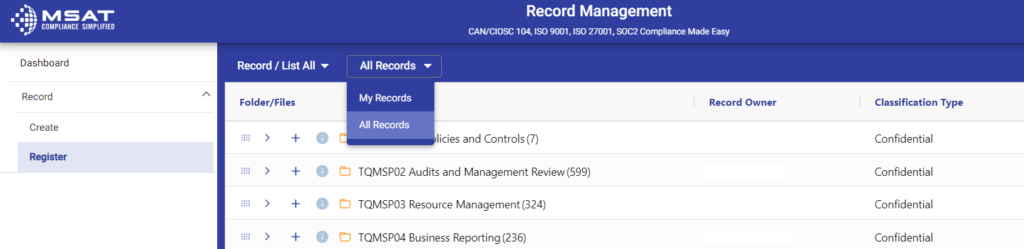
Easier Access to 'My Records'

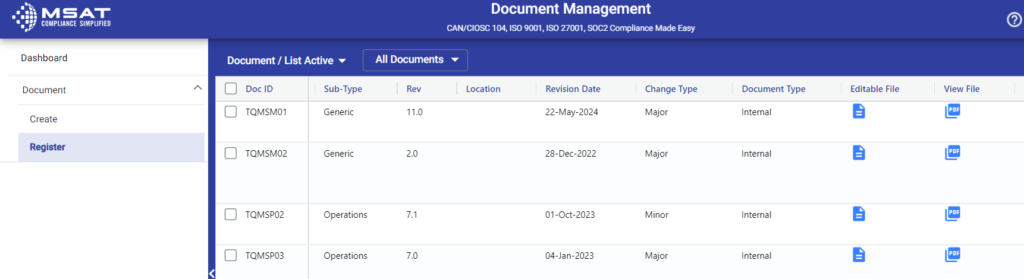
Your data is now more accessible than ever in the “My Records” section of the Register. For a detailed view, simply click on “All Records.” By default, the view is set to “My Records” for your convenience. This feature is available in both Problem Management and Training Management.

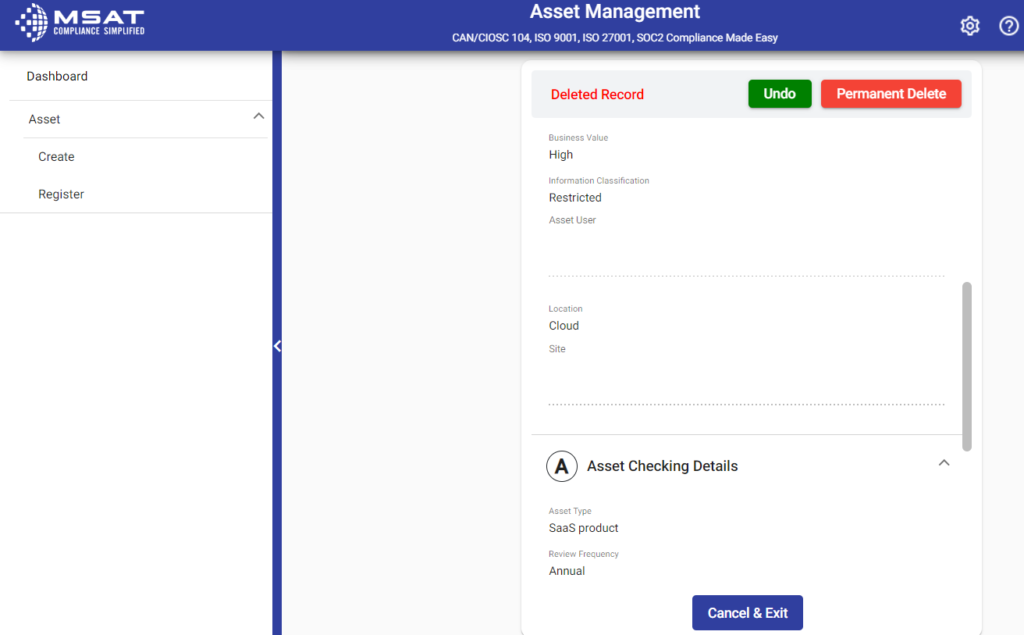
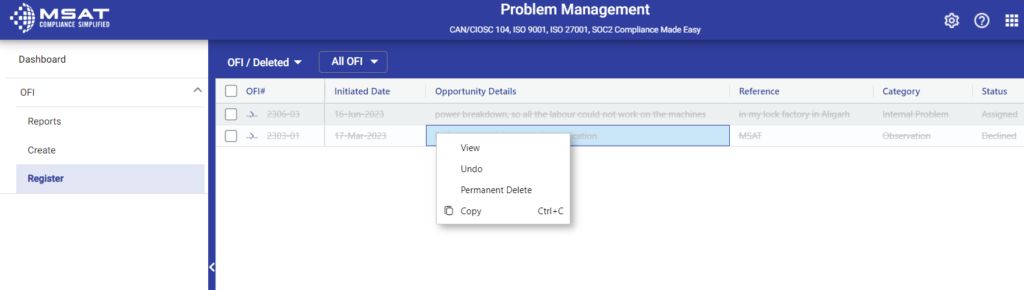
Improved Deleted Record Management with 'Undo' and 'Permanent Delete' Options

Deleted records will be prominently highlighted in red for easy identification. You can now access ‘Undo’ and ‘Permanent Delete’ buttons directly from the detail screen of these records. This functionality is available across Supplier Management, Document Management, Asset Management, Problem Management, and Record Management modules.

Highlighting ID Column for Overdue and Incomplete Records

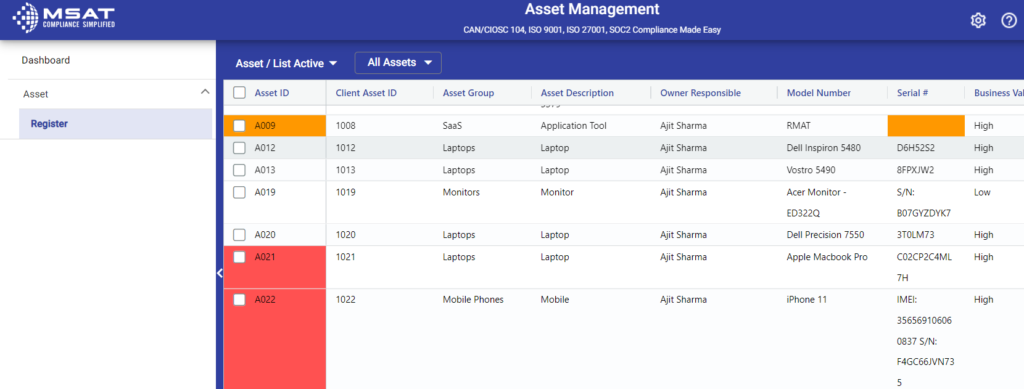
To help you quickly identify critical items, the “ID” column will now be highlighted in red for overdue records and in orange for incomplete records. This feature is available in Supplier Management, Asset Management, Problem Management, Training Management, and Document Management.

Release Notes 24.05

Key Enhancements

Ease of Access for 'My Records'
All&MyRecords

All your data is easily accessible in the “My Records” section of the Record Register. For a comprehensive view, click on “All Records.” The default view is set to “My Records” for your convenience. This feature applies to Asset Management, Document Management, Record Management, and Supplier Management.

Complete Folder Upload in Records Register

To effortlessly organize your records, click the “+” icon on any folder in the Record Register. Select “Upload Folder,” choose the folder containing your files and subfolders, and hit “Submit.” All your files will be neatly added to your records.

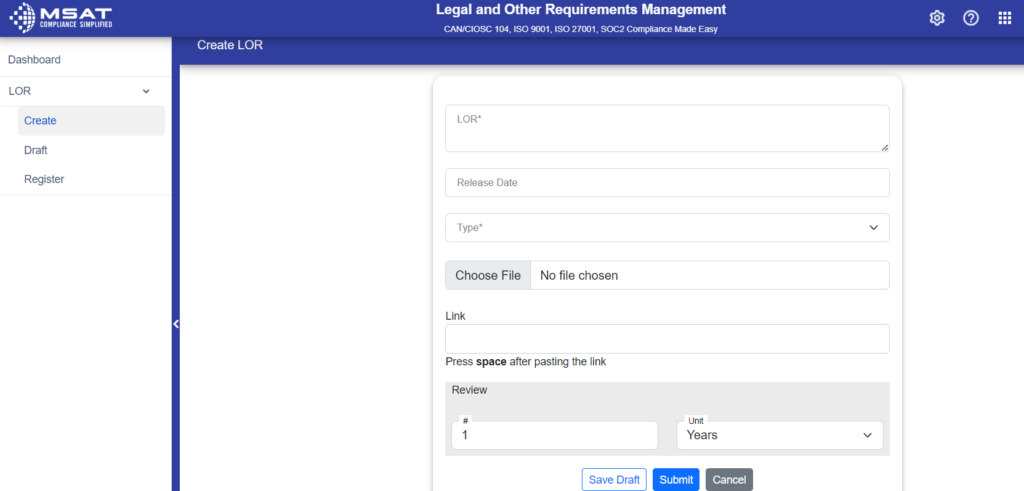
File Link Now Available for Legal and Other requirements module

This feature is now available for creating, drafting, and editing registrations. We believe this will greatly enhance the user experience and provide more efficient management of legal and other requirements.

Retrieve MS Office Documents

Microsoft Office files will now be directly downloaded when you click on the icon, without the need for preview. Please note that PDF files will still be available for preview. For security purposes, MS Office files will not open in third-party popup windows for preview. Please be advised that this feature does not apply to Risk Management, Organization Chart, and Legal and Other Requirement Management.

Undo Record Deletion

The addition of an ‘Undo’ button when right-clicking on any strikethrough or deleted records. This function allows you to easily update these records by first undoing the deletion. Please note that this feature does not apply to Risk management, Organisation chart, Training management, Legal, and other requirement management.

UndoOptionFile
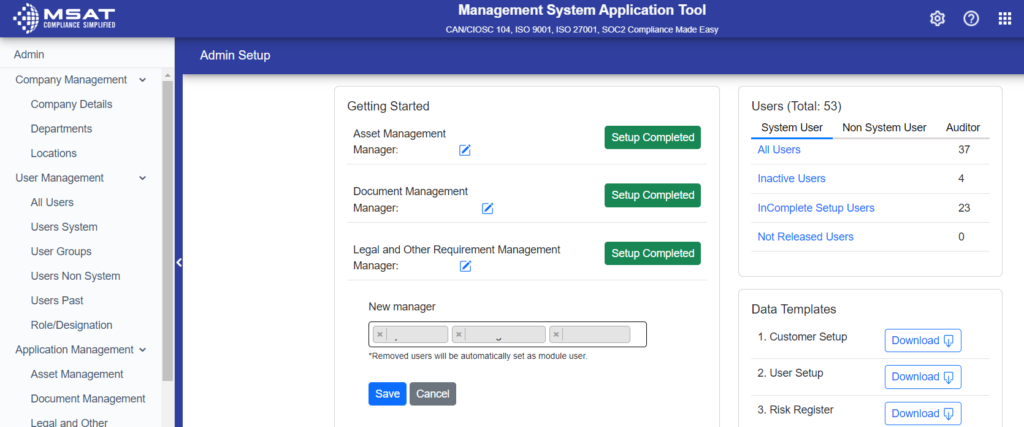
Support for Multiple Managers for Legal and Other Requirements module

Multiple managers for Legal and other requirements management is a new feature will greatly improve efficiency and streamline the management process for all users.

MultipleManagerLOR